How to Manage Multiple OTT Subscriptions: Best Strategies to Track & Save Money
12 days ago
Managing multiple OTT subscriptions effectively requires a well-planned approach to ensure you spend wisely and subscribe only to platforms that align with your viewing preferences. Subscribing to every platform individually can quickly lead to "subscription creep", but implementing structural adjustments to your tracking and purchasing habits can cut your monthly entertainment expenses by up to 50% or more.
Why Is It Important to Manage Multiple OTT Subscriptions?
Different OTT platforms offer different content. You may use one for movies, another for sports and another for regional shows. This can lead to several recurring payments every month.
Some subscriptions may also remain active after you stop watching them. Annual plans can be easy to forget because they renew only once a year. Managing your subscriptions helps you:
• Track your entertainment expenses
• Avoid unwanted renewals
• Identify unused services
• Plan your monthly OTT budget
• Decide between individual plans and bundles
How to Track All Your OTT Subscriptions?
Create a simple list of your active subscriptions using a spreadsheet, phone notes or a budgeting app. Record:
• OTT platform
• Monthly or annual price
• Renewal date
• Payment method
• Main user
• Type of content you watch
Set a reminder a few days before each renewal. This gives you time to check whether you still need the service. You can also mark subscriptions as regular, occasional or unused. This makes your next review easier.
Calculate How Much You Spend on OTT Subscriptions
Add the cost of all your active plans to find your total monthly OTT spending. For annual plans, divide the yearly price by 12 to calculate the effective monthly cost. For example:
• Platform A: ₹149/month
• Platform B: ₹199/month
• Platform C: ₹299/month
Annual Plan (effective monthly cost): ₹100/month*
Total Monthly Cost: ₹747
*₹100 is the monthly equivalent of a ₹1,200 annual plan.
You would spend about ₹8,964 a year in this example. Comparing this amount with your entertainment budget can help you identify unnecessary expenses.
How to Identify OTT Subscriptions You Don't Need?
Check your viewing habits before a subscription renews. Ask yourself:
• Have I watched this platform recently?
• Did I subscribe for one particular show?
• Have I finished that show?
• Does another subscription already meet the same need?
• Does anyone else in my family use it?
Sports subscriptions also need regular review. If you subscribed for a particular tournament, you may not need the service after it ends.
What are the best Strategies to Save Money on Multiple OTT Subscriptions?
• Rotate platforms: Subscribe when the content you want is available instead of keeping every platform active throughout the year.
• Use monthly plans for short-term viewing: If you only want to watch one series or event, a monthly plan may be more practical.
• Consider annual plans for regular use: Compare the annual price with 12 monthly payments before choosing one.
• Check official offers: Look for legitimate discounts and promotional offers from OTT platforms and service providers.
• Avoid duplicate subscriptions: Before buying another plan, check whether you already have access to similar content through an existing service.
Individual OTT Subscriptions vs Multi-OTT Bundles
An individual OTT subscription provides access to one streaming platform. It can be suitable if most of your viewing comes from a single service.
A multi-OTT bundle combines access to several streaming platforms under one subscription or package. It can suit households that regularly use different services.
The main differences include:
• Platform access: Bundles provide access to multiple services.
• Payments: One subscription can simplify payment management.
• Content variety: Multiple platforms offer a wider mix of entertainment.
• Flexibility: Individual plans let you select only the services you need.
• Value: Bundles can be useful when you regularly use several included services.
When Should You Choose an OTT Bundle?
A multi-OTT bundle may suit you when:
• You regularly use several OTT platforms
• Different family members watch different services
• You watch movies, series and sports
• You want fewer separate payments
• The bundle includes platforms you already use
• The combined price fits your budget
Always check the included apps before subscribing. A large number of apps does not necessarily mean better value if you rarely use them.
When Are Individual OTT Subscriptions Better?
Individual subscriptions can make more sense when your viewing is limited to specific platforms. Consider separate plans if you:
• Watch only one or two OTT services.
• Want a particular movie or web series.
• Subscribe mainly during a sports tournament or new release.
• Prefer cancelling a platform after finishing a show.
• Rarely use the additional apps offered by bundles.
• Want complete control over which services you pay for.
For example, if you mainly watch one platform, subscribing directly to that service can avoid paying for several apps you do not use.
How Families Can Manage Multiple OTT Subscriptions?
Families often have different viewing needs. One person may watch sports, another may prefer movies, while children may use kids' content. First, list the platforms used by each family member. Then check the number of simultaneous screens and supported devices in your current plans.
Avoid buying duplicate subscriptions when an existing family plan already meets the requirement. If several family members use different OTT platforms, compare the total cost with a multi-OTT bundle. This can also reduce the number of payments you need to track.
Tata Play Binge for Managing Multiple OTT Platforms
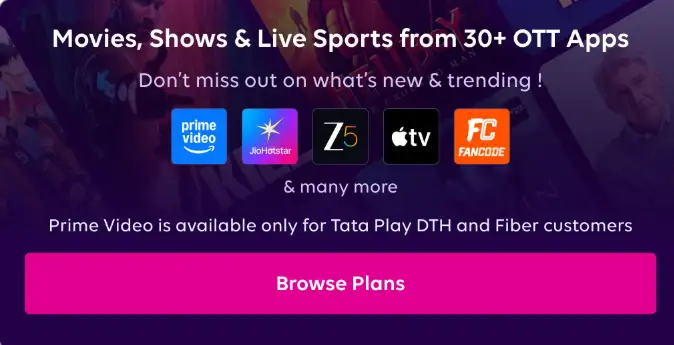
Tata Play Binge brings multiple OTT services together under selected subscription plans. Its current offerings include services such as JioHotstar, ZEE5, Apple TV, Lionsgate Play, FanCode, aha, and Discovery+, depending on the plan.
11+ OTT Apps
→ 4 devices | ₹149/month
13+ OTT Apps
→ 4 devices | ₹299/month
30+ OTT Apps
→ 4 devices | ₹399/month
Updated 24 September 2026. Prices and app availability may change.
App availability and plan features vary, so check the current plan details before subscribing.
How Often Should You Review Your OTT Subscriptions?
A monthly review can help you keep track of recurring expenses. You should also check your subscriptions:
• Before annual renewal
• After finishing a long series
• After a major sports tournament
• When your viewing habits change
• When a new bundle becomes available
Set reminders for important renewal dates so you can make a decision before the payment is processed.
FAQs
How can I manage multiple OTT subscriptions?
You can manage multiple Over-The-Top (OTT) streaming subscriptions efficiently by using OTT aggregators like Tata Play Binge that combine multiple platforms into a single bill, login, and dashboard.
How can I save money on multiple OTT subscriptions?
You can save money on multiple OTT subscriptions using Tata Play Binge to cut combined costs by up to 50% to 60%.
What is the best way to manage OTT subscriptions?
The best way to manage OTT subscriptions is to use a centralised aggregator service like Tata Play Binge to combine billing, while actively rotating individual streaming apps based on current content releases.
How can I avoid paying for unused OTT subscriptions?
You can avoid paying for unused over-the-top (OTT) streaming subscriptions by regularly auditing active billing mandates and rotating services only when you are actively watching them.
Is it better to bundle multiple OTT subscriptions?
Bundling multiple OTT subscriptions is better if you watch five or more apps regularly or share entertainment across a large family, but individual subscriptions or rotation work better for casual viewers.
How can I reduce my monthly OTT subscription cost?
You can reduce your monthly OTT subscription costs by up to 60% by switching to OTT bundles.
What is the cheapest way to manage multiple OTT platforms?
The cheapest way to manage multiple OTT platforms is by using an OTT aggregator service like Tata Play Binge that combines multiple streaming apps into a single monthly plan instead of buying them individually.
Should I buy OTT subscriptions individually or as a bundle?
You should buy an OTT bundle if you use three or more streaming services, but you should buy individual subscriptions if you only watch one or two platforms.
How can families manage multiple OTT subscriptions?
Families can manage multiple over-the-top (OTT) streaming subscriptions efficiently by using OTT aggregators like Tata Play Binge and shared family profiles with digital tracking.